Using the Department Rollup View
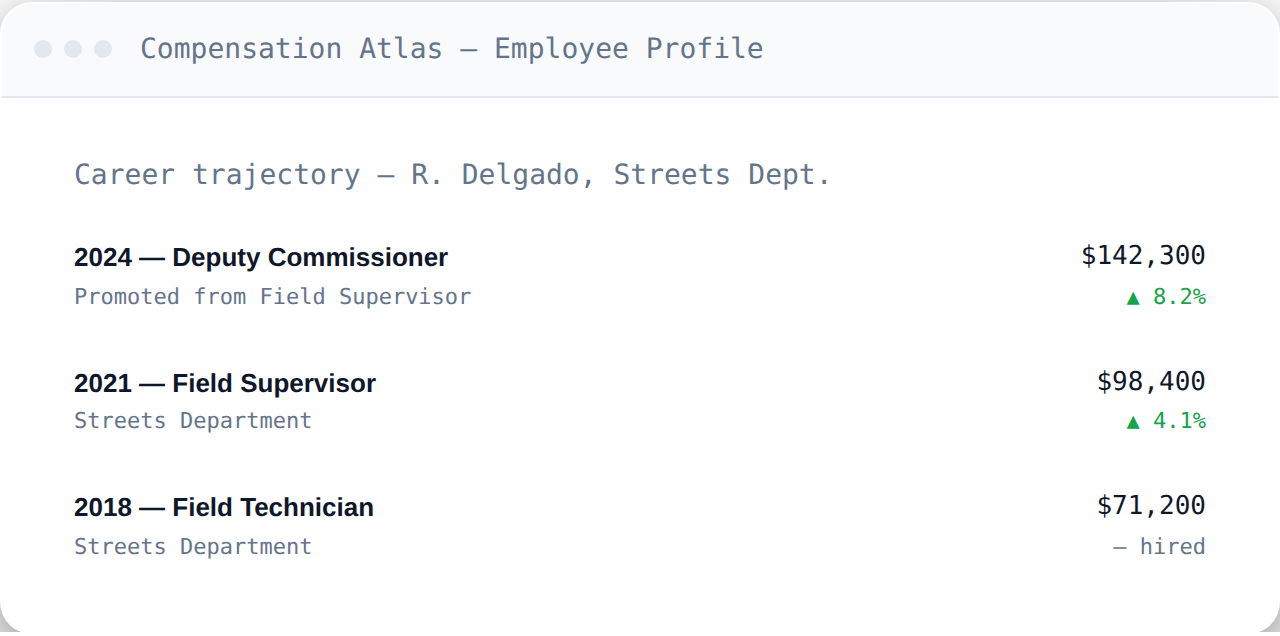
A single employee's trajectory tells one story. The department rollup view aggregates every trajectory in a department into one comparison.
What it shows
Instead of looking up one person at a time, the department rollup view aggregates every employee's record within a department, letting you see patterns across the whole group rather than piecing them together search by search.
Base-rate leaders
See who holds the highest base salary rates within a department — useful for questions like who's earning the most in a given office before overtime is factored in at all.
Overtime leaders
Because CompensationAtlas tracks overtime separately from base rate (see Rate vs. Actual Earnings), the rollup view can also surface who's earned the most in overtime specifically — a different and often more revealing question than base pay alone, especially for questions about where an overtime budget is actually going.
Comparing trajectories side by side
The rollup view is also the fastest way to see how promotions and pay have moved differently for different people within the same department — a comparison that would otherwise mean opening several individual trajectories (see Reading a Career Trajectory Timeline) one at a time.
Frequently asked questions
Can I export a department rollup?
Yes, on the Single Tool Plus tier and above — see Exporting Data to CSV.
Can I save a department rollup to check back on later?
Yes — see Saved Views & Alerts for how that works and which plans include it.
How far back does the rollup go?
As far back as 2016, matching the full CompensationAtlas archive.